
Run the whole firm from one screen.
Every client, job, document, deadline and invoice in one connected workspace — built for Australian accounting, bookkeeping and tax firms.
See how a connected practice works.
From client onboarding to recurring jobs, documents and billing — see how Finye brings a whole practice together in one place. Two minutes.
Less administration. More time for the work that matters.
Accounting and bookkeeping teams lose hours to chasing documents, re-keying data between apps and tracking deadlines across spreadsheets and inboxes. Finye removes that friction, so your people spend their time on advice and client work — not admin.
- One source of truth. Clients, jobs, documents and billing live together — no switching between five disconnected tools.
- Nothing falls through. Every obligation and deadline is tracked, with reminders before anything is late.
- Less double entry. Two-way Xero sync and built-in ID & ABN lookup cut the re-keying.
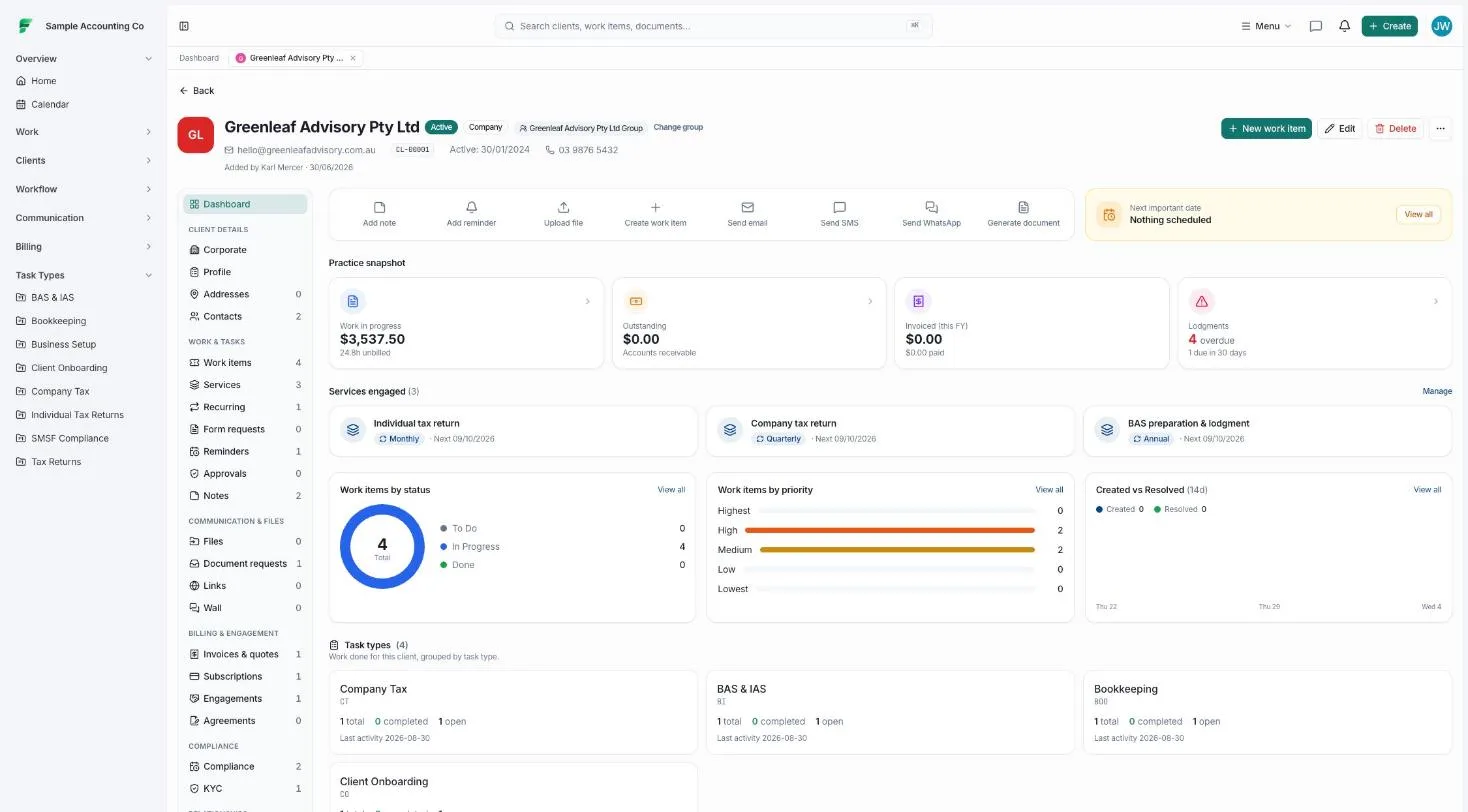
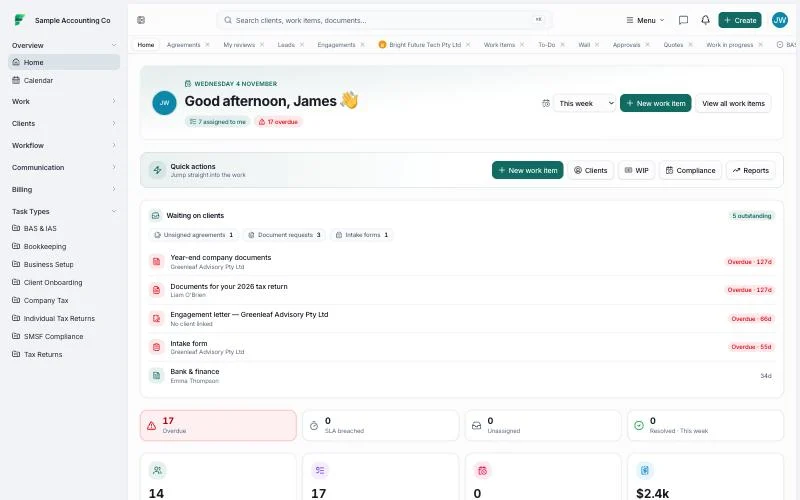
Your whole practice, on one screen.
Clients, jobs, deadlines, documents and billing in a single command centre your whole team shares — live, and always up to date.
Four journeys. One platform.
From a first enquiry to a paid invoice — every stage of practice work lives in Finye.
From enquiry to engaged client
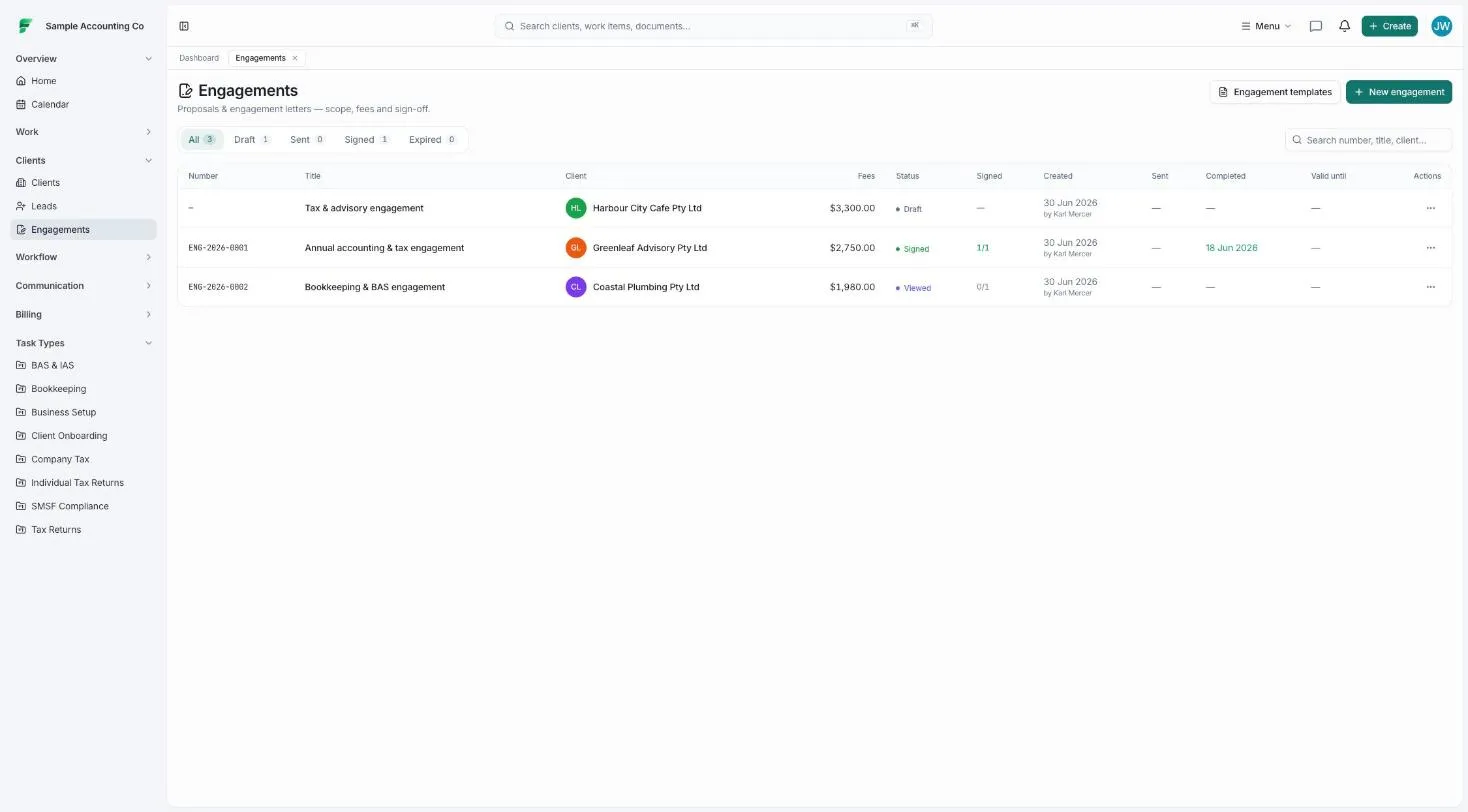
Capture leads, onboard with intake forms, verify identity and ABN, then send an engagement letter for e-signature — without leaving Finye.
See client onboarding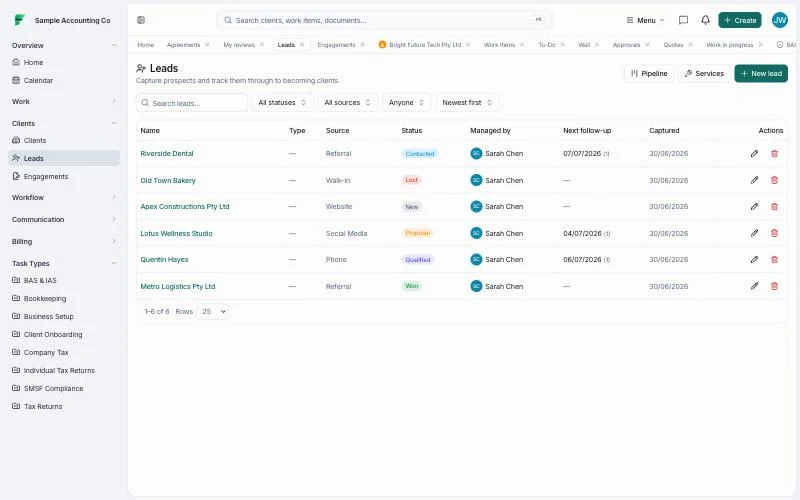
From recurring work to completed jobs
BAS, tax and bookkeeping jobs repeat on schedule, assigned to the right people and tracked through review and approval until they're done.
See recurring work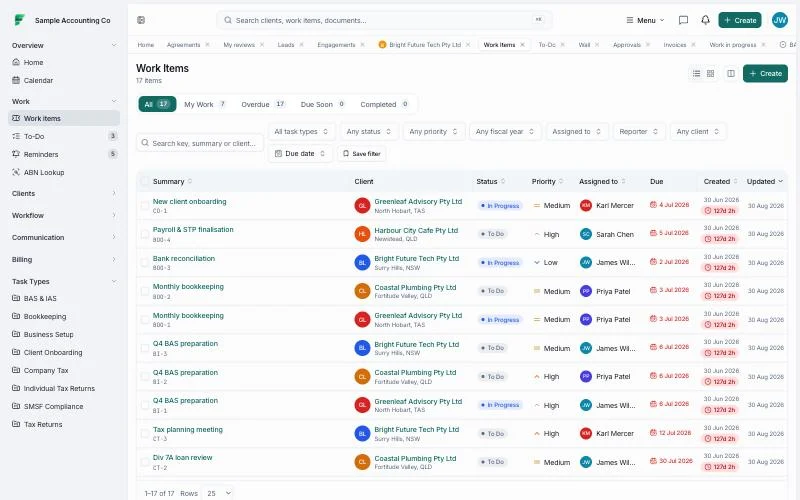
From documents to client collaboration
Request documents, keep everything against the client, and give clients a secure portal to upload, sign and message — no more email attachments.
See document managementFrom work completed to payment received
Turn work into quotes and invoices, take card payments through Stripe and Square, and chase what's outstanding — with Xero kept in sync.
See quotes & invoicing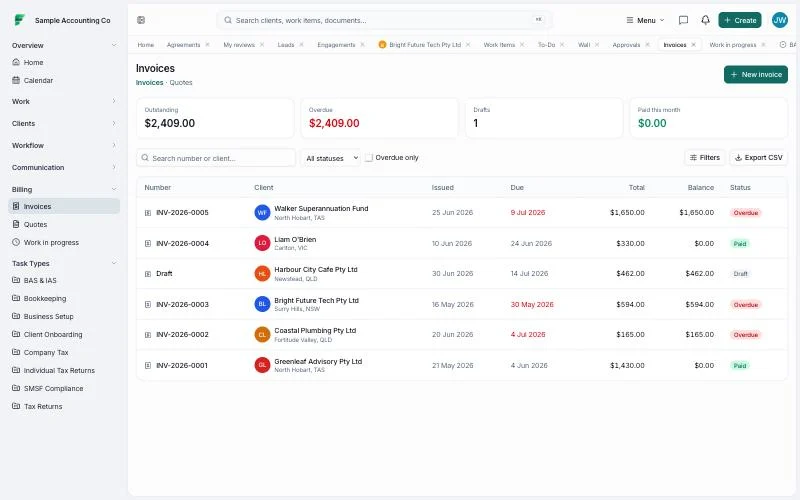
One platform for every job in the practice.
Twenty tools built for Australian accounting firms — from onboarding and compliance to billing and the client portal. Search for what you need, or browse by area.
20 capabilities
Lead management
Capture enquiries and move them through a simple pipeline to signed clients.
Client onboarding
Onboard new clients with intake forms, ID checks and automated steps.
Identity verification
Verify individuals and businesses with ID and ABN checks to stay compliant.
ABN lookup
Look up and validate ABN details straight from the official register.
Customer portal
Give clients a secure portal to share documents, view invoices and sign.
Practice management
Keep clients, work, deadlines and documents organised in one place.
Calendar
See every deadline, meeting and task across the practice in one calendar.
Recurring tasks
Automate recurring work so compliance jobs are never missed.
To-do planner
Keep the team aligned with shared and personal to-do lists.
Approvals & reviews
Move work through preparer, reviewer and partner with clear sign-off.
Timesheet management
Track time, plan capacity and turn work into billing.
Every tool above, on one connected platform.
Most firms are set up and working in Finye within a day.
Works with the tools your practice already runs on.
Finye connects to your accounting, payment and productivity tools, so your data flows in and stays in sync — no double entry.
See all integrationsSet up in a day, not a quarter.
No long migration project and no re-keying. Connect the tools you already use, bring your clients across, and your team works from one live view — the same day.
Keep Xero as your source of truth — Finye works alongside it.
- 1
Connect your tools
Link Xero and Microsoft 365 in a few clicks. Clients, contacts and mailboxes flow in automatically.
Xero · Microsoft 365 · Google - 2
Import your clients & jobs
Bring across your client list and the recurring work you do for each one — or let Finye enrich them from the ABR.
Your client list · ABR enrichment - 3
Work from one dashboard
Deadlines, documents, time, billing and client messages — your whole practice in a single live view the team shares.
One live view · Shared with your team You're up and running
Invite your team and go — most firms are working in Finye on day one, with no implementation project.
Built to be trusted with the data a practice runs on.
Client records, documents and the credentials behind your integrations — held in Australia, encrypted, and access-controlled. Here's how your practice and client data stay protected.
Read the security overviewYour data stays in Australia
Client records run on a managed database in Sydney and documents in Sydney object storage (ap-southeast-2) — onshore, never offshored.
Encrypted in transit and at rest
Everything travels over TLS, and sensitive fields — TFNs, Director IDs, passwords and connected credentials — are encrypted again at the application layer.
MFA and single sign-on
Require multi-factor authentication across your team, and sign in with Microsoft Entra, Google Workspace, Okta or any OIDC/SAML provider.
Every workspace isolated
Each firm's workspace is strictly separated — one practice can never see another's clients, documents or data.
Role-based access, fully logged
You decide who can see and do what, and every change is recorded in a separate audit log you can review.
Your data stays yours
No lock-in: export your practice and client data, or ask us to delete it, whenever you need to.
Ideas for running a modern practice.
Onboarding new staff into a growing accounting practice
A structured approach to onboarding new accounting staff so they become productive quickly without overwhelming your senior team.
AI in Australian accounting firms: what actually works in 2026
AI is now built into the software Australian firms already use. Here is where it genuinely saves time, where to stay cautious, and how to use it without breaching your TPB and privacy obligations.
eInvoicing and Peppol in Australia: what firms and their clients need to know
eInvoicing moves invoice data system-to-system over the Peppol network. A plain-English guide for Australian firms: how it works, why it speeds up payment and cuts fraud, and where the 2026 government rollout sits.
Questions, answered.
Everything else worth knowing before you start.
Still have a question? Talk to usDoes Finye replace Xero? ▾
Where is my data stored? ▾
How long does setup take? ▾
Can I send client email and SMS from Finye? ▾
Do you offer white-label and a custom domain? ▾
Run your practice on Finye.
One connected platform for Australian accounting, bookkeeping and tax firms.
14-day free trial · no credit card · set up in a day